How to Factory Reset a Windows Device  (Windows 10 and Windows 11)

How to Factory Reset a Windows Device (Windows 10 and Windows 11)

Learn how to factory reset a Windows device safely before selling or returning it. This guide explains the correct way to erase all data and reinstall Windows using built-in reset tools.

How to Factory Reset an Android Phone? Reading How to Factory Reset a Windows Device (Windows 10 and Windows 11) 2 minutes

This guide shows the recommended and easiest way to erase a Windows device before selling, returning, or giving it away.


⚠️ Before you start (important)

  • This will permanently erase all data, please backup your data before proceeding. 

  • Make sure:

    • The device is plugged into power

    • You have internet access

    • You’ve backed up any files you need


✅ Recommended Method: Reset from Settings

Use this method if Windows can still start normally.


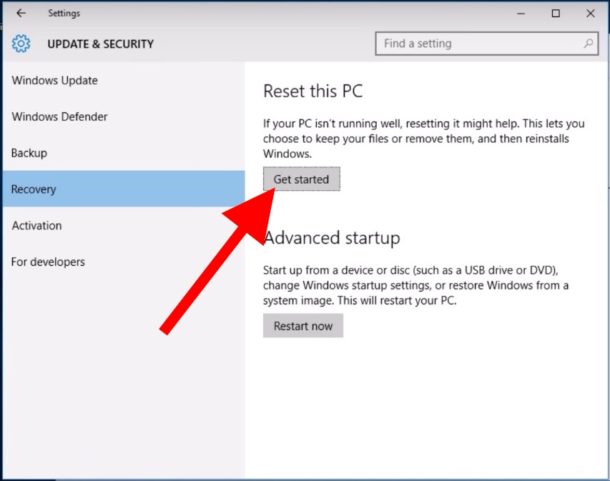
Step 1: Open Reset Settings

  1. Click the Start menu

  2. Open Settings

  3. Go to System

  4. Select Recovery

https://cdn.osxdaily.com/wp-content/uploads/2016/05/windows-reset-pc-recovery-get-started-610x481.jpg

Step 2: Start Reset

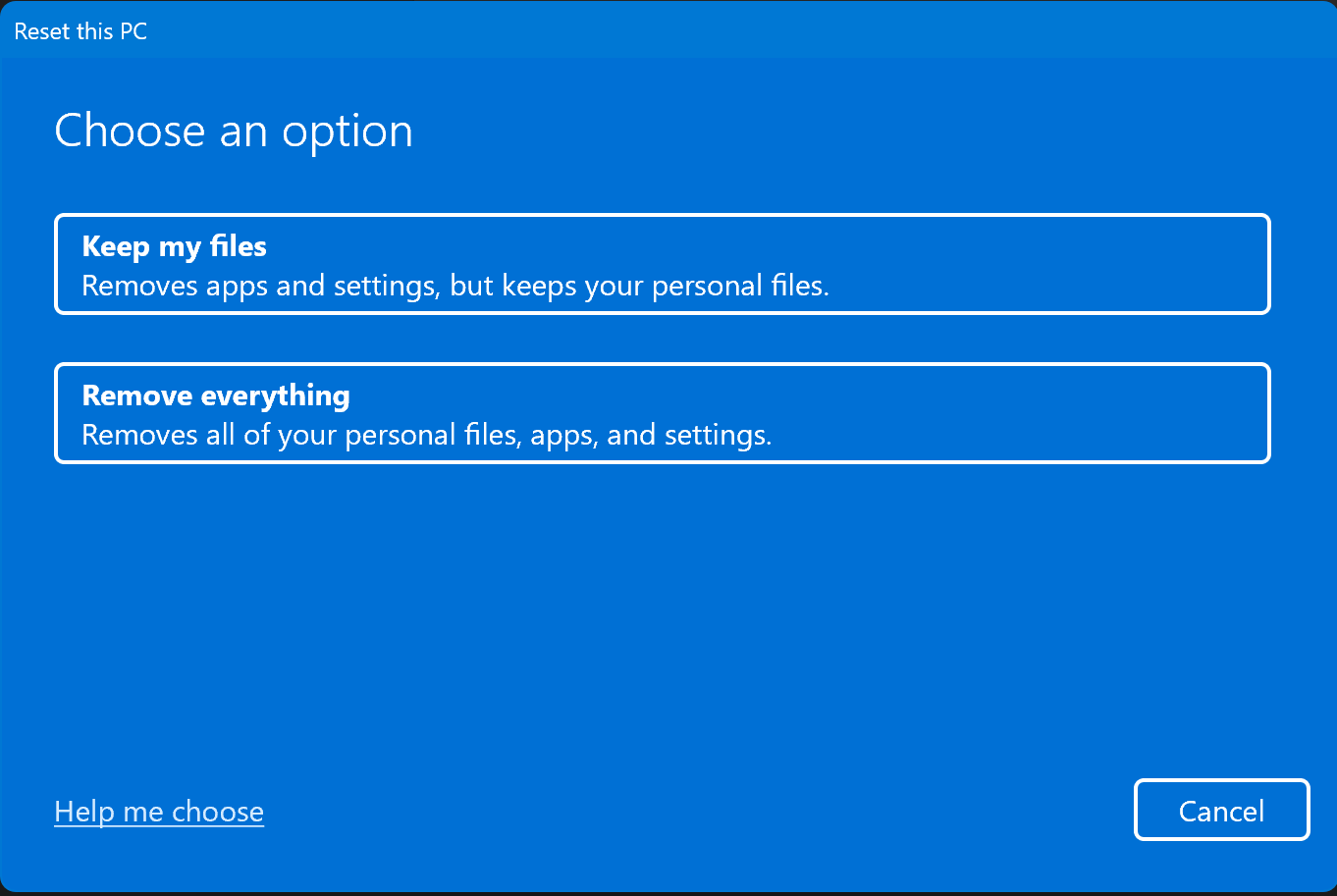
  1. Under Reset this PC, click Reset PC

  2. Choose Remove everything

https://www.technine.be/wp-content/uploads/2023/09/image-5.png


Step 3: Choose how Windows is reinstalled

You will be asked how to reinstall Windows:

  • Cloud download (recommended)

    • Downloads a fresh copy of Windows

  • Local reinstall

    • Uses existing files on the device

👉 Cloud download is recommended if available.

https://learn-attachment.microsoft.com/api/attachments/0f32f172-ef37-4e54-8f9e-7b8bc47a5c80?platform=QnA


Step 4: Confirm and reset

  1. Review the summary

  2. Click Reset

The device will:

  • Restart automatically

  • Erase all data

  • Reinstall Windows

⏳ This may take 30–90 minutes.


https://www.lifewire.com/thmb/AgdIq02BXOsplvMGetPdGoPbbMk%3D/360x240/filters%3Ano_upscale%28%29%3Amax_bytes%28150000%29%3Astrip_icc%28%29/reset-this-pc-windows-10-process-8-percent-56a6fad83df78cf772913fcb.png

Step 5: Stop at the setup screen (important)

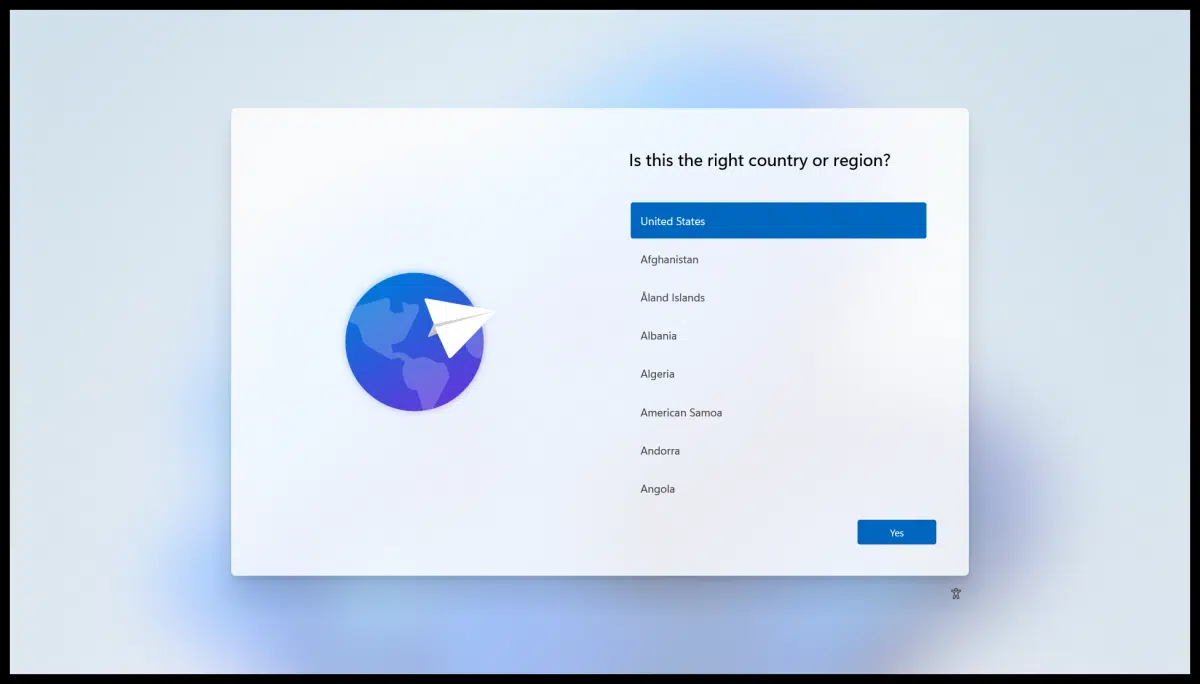
When finished, you’ll see the Windows setup / region selection screen.

👉 Do not sign in again

If returning or selling the device:

  • Power it off at this screen

https://learn-attachment.microsoft.com/api/attachments/5954a633-c994-4b7a-b855-cdaf15232c21?platform=QnA
https://bcdn.askleo.com/wp-content/uploads/2021/03/oobe-1-1200x684.png.webp

✅ The Windows device is now factory reset and ready.

Stay up-to-date

Read More

How to factory reset your MacBook (M1, M2, M3, M4, M5 or newer)?

How to factory reset your MacBook (M1, M2, M3, M4, M5 or newer)?

This guide applies to MacBooks with Apple Silicon (M1 and above).It uses Erase Assistant, which is the recommended and simplest method.
What Happened to Mobile Monster? Here’s the Best Alternative

What Happened to Mobile Monster? Here’s the Best Alternative

For over 13 years, Mobile Monster has been a top-ranked trade-in provider in Melbourne. Backed by heavy advertising and strong brand recognition, it became a household name for consumers looking to sell their used devices. However, as customer expectations evolve—especially around speed, communication, and transparency—our recent test suggests the experience may no longer be as smooth as it once was.
Will Apple’s iPhone Ban in Indonesia Set a Global Trend? What If It Happened in Australia?

Will Apple’s iPhone Ban in Indonesia Set a Global Trend? What If It Happened in Australia?

The tech world has been buzzing with recent news from Indonesia: the country banned the sale of Apple’s iPhone 16 due to the company’s failure to meet strict local content requirements. This decision has sparked a global conversation about the future of tech regulation, raising questions about whether similar measures could be implemented in other countries like Australia.

Leave a comment

All comments are moderated before being published.

This site is protected by hCaptcha and the hCaptcha Privacy Policy and Terms of Service apply.